

Roblox
13,108,972 Plays





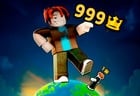
How to play Roblox?
Have you ever wished for a world tailored just for you, where you could create your own adventures and play thousands of mini-games with your friends? On Roblox, you can do all that and much more. Play now on Minijuegos and let your imagination run wild. You set the limits of what you’re capable of creating.
Play Roblox and immerse yourself in this free MMOG (Massively Multiplayer Online Game) based on Minecraft-style block building. Create your own virtual world or explore the thousands of worlds created by other users. In these worlds, you can gather resources, build anything you can imagine, invent games from scratch, customize your character by creating your own cosmetic items, or battle other players.
Key Facts About Roblox
- Roblox is a multiplayer platform that brings together thousands of virtual worlds and experiences created by its users.
- You can explore environments, play different minigames, and share adventures with others.
- The platform lets you build worlds, gather resources, and create your own experiences using development tools.
- You can customize your avatar with various cosmetic items and tailor its appearance to your preferences.
- You can also publish your own creations so other users can discover and play them.
What will I find on Roblox?
- Places: A place is where you play within Roblox, and there you’ll have complete freedom to create whatever you want—even your own game using the Studio. You’ll have access to these places once you create an account. Visit other users’ places to check out and play their creations, and they’ll be able to do the same with yours. If your place is successful and gets a lot of visitors, you’ll earn achievements as a reward!
- Catalog: The Catalog is where you can buy clothes and other customization items using in-game currency. These items may be sold by the game itself or by other users, and they may be sponsored by your favorite brands. You can also create your own items and list them for sale in the Catalog. The items you can find in the Catalog are divided into 8 categories:
- Heads
- Faces
- Gears
- Accessories
- T-shirts
- Shirts
- Pants
- Backpacks
- Library: The Library works similarly to the Catalog. Here, players and developers can upload models, scripts, audio files, decals, meshes, and other add-ons. Other users can download these items for free and add them to their inventory.
- Commands: Commands let you perform actions that aren’t assigned to a key while you’re playing. To activate them, simply type them into the chat, and your character will automatically perform the selected action, movement, or animation. Try some of these:
- /e dance: to make your character dance
- /e wave: to make your character wave
- /e point: to make your character point at something
- /e cheer: to make your character jump with excitement
- /e laugh: to make your character laugh
- Studio: The Studio is where you can create the game of your dreams from scratch. It offers a range of tools accessible to players of all skill levels—from beginners writing their first code using pre-written commands to experienced programmers. You’ll be able to manipulate the terrain, add complex scripts, or implement game features. And once it’s finished, you can publish it for other Roblox players to enjoy. If your game is successful, you’ll receive lots of comments, likes, and daily visits—and you might even be able to charge others to play your game.
HOW TO DOWNLOAD ROBLOX FOR FREE?
This popular Minecraft-style world-building and adventure game can be downloaded for free in a few simple steps. The official website is a good place to start, as it provides download links for Roblox depending on your device.
- If you’re looking for the PC version, follow the link to the Microsoft Store, where you can install Roblox for free by clicking the “GET Free+” button. The Xbox version is also available there.
- If, on the other hand, you’re looking for the mobile version, you can go to Google Play or the App Store, depending on whether your operating system is Android or iOS.
ROBLOX PROMOTIONAL CODES OR PROMOCODES
Promotional codes, or “Roblox promocodes,” are a really fun extra for the game. For example, they let you dress your avatar in the colors and uniforms of Manchester City, one of the top teams in the Premier League. Or Nike athletic wear and athletic superpowers like performing mega-smashes or dodging opponents with power-ups. And of course, you can’t miss out on swords for battles or wings for flying. Every month, a new promo code is released to bring endless excitement to Roblox. How do they work, and how do you redeem codes?
Codes are redeemed on the Roblox website and are time-limited. In other words, you have a specific amount of time to activate them. After that time, they’ll stop working.- Whether you’re using your computer or your phone, go to roblox.com/promocodes and log in with your username. If you haven’t registered yet, now is a good time to do so.
- Once logged in, you’ll see a box on the right where you can enter the month’s promo codes. To avoid mistakes, it’s best to copy and paste them from the source where you found them.
- Then, all you have to do is click the green “Redeem” button. If the code you entered is valid, a green message will appear. If it has already expired, a red message will appear.
Need to know anything else before diving headfirst into creating your own world of adventures on Roblox?
Roblox can be also found in these platforms:


- SELECT
- JUGAR / CHAT







Minitorneos, chat & make friends
Tags

